https://josephsoren.github.io/kujur-life-blog/ Meesho Label Crop Tool – Crop Meesho Shipping Labels Online Free

Meesho Label & Invoice Cropper

Upload your Meesho shipping PDF → auto‑crop → 2×2 A4 sheets + thermal print + invoice PDF. All in your browser.

100% Free Browser-only · Zero upload No signup needed
PDFs Processed
0
total labels cropped
0
Files
0
Pages
0
Today
0 this session
1 / page
Full size
2 / page
Half cut
4 / page ⭐
Save 75% paper
1
Upload PDF
2
Auto‑Process
3
Preview
4
Download
Step 1 — Upload Meesho Label PDF
Drop your Meesho PDF here
Any PDF from Meesho Supplier Panel — auto‑crops labels with dash-line detection
✓ Valid
Paper Size, Format & Label Count
Upload a PDF first
Advanced Settings, Fine‑Tune & Presets
Crop Margin
Render Quality
PDF Output Size
Label Rotation
Fine‑Tune Cut & Trim
Cut line42%
Left trim0%
Right trim0%
Top trim0%
Saved Presets
No data leaves your browser
Processing…
Please wait
Labels
0
A4 Pages
0
Invoices
0
Layout
4/page
Paper Saved
Live PDF Preview
Live preview
📱 Tap the thumbnails below to navigate pages · Use Download to get the PDF
Building preview…
Page 1 of 1
🏷️ Label #
Badge bg:
Position:
x:0 y:0
Font: 5.5
📋 Invoice #
Badge bg:
Sort & Label Options SKU, Quantity, Pickup Partner sorting
Sort by:
Label Options
BG:
Text:
Preview
Saved presets appear above
# Label SKU / Product Name Qty Pickup Partner
Free tool for Meesho sellers

Crop Meesho Labels & Invoices Free

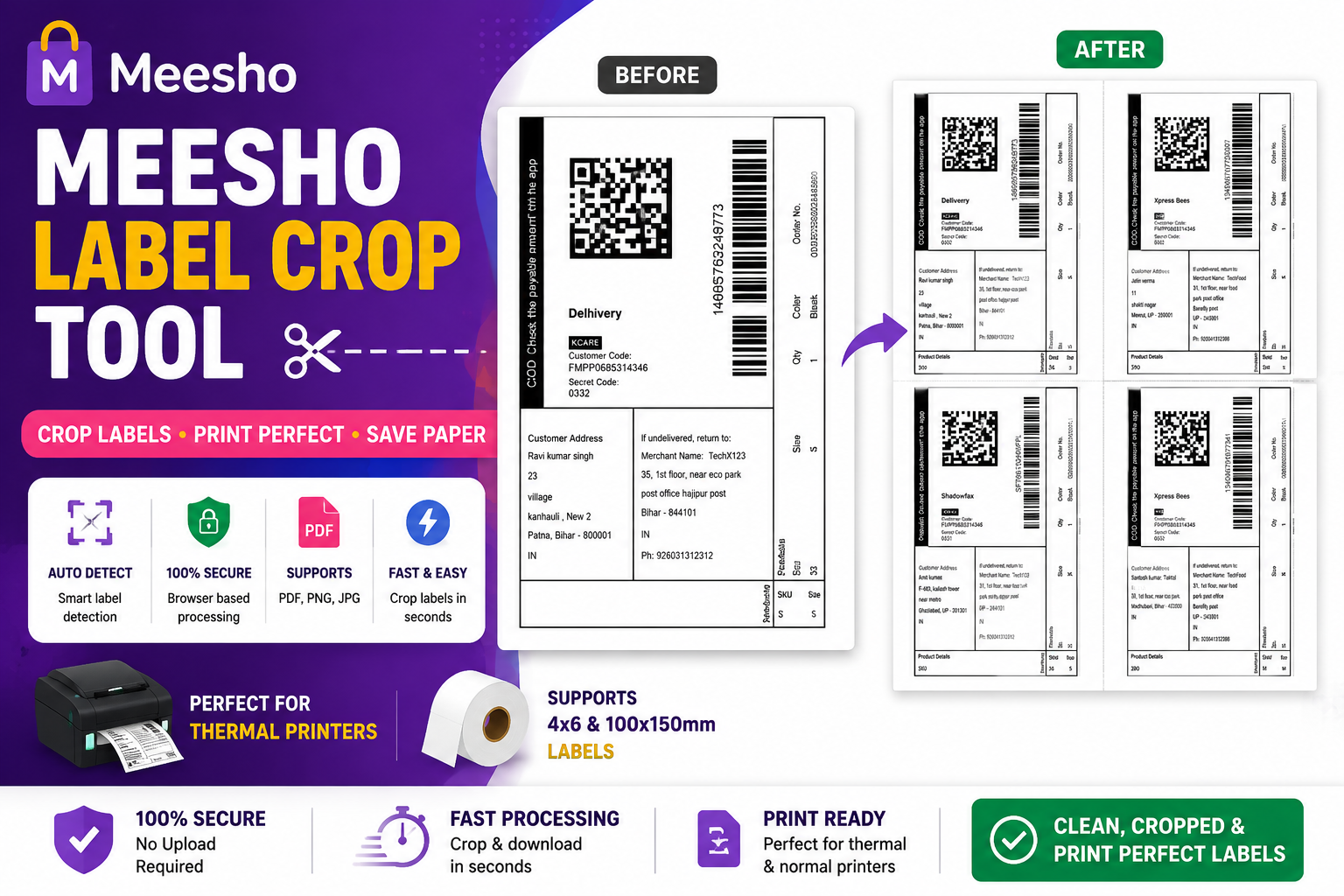
Upload your Meesho PDF. We cut the labels for you, sort them by courier, and give you a print-ready PDF — all inside your browser. No upload, no login.

Cut Meesho labels in one click.
Sort by courier.
Print and ship.

Just upload the label PDF you got from Meesho. LabelSathi finds the cut line, separates the label from the bill, and groups labels by courier. Then download an A4, thermal, or invoice PDF. Everything happens on your own device.

How to use

Just 4 easy steps.

Upload your Meesho PDF and get clean, sorted labels ready to print in under a minute. No scissors, no apps to install.

1 Upload your PDF
📄

Open the label PDF you downloaded from Meesho. Drag it here or tap to pick it. It can have any number of orders — even 100+ at once.

2 We cut it for you
✂️

The tool finds the "Fold Here" line on each page and neatly separates the shipping label from the bill. You don't need scissors.

3 Labels get sorted
🚚

Your labels are grouped by courier — Delhivery, Valmo, Shadowfax and more — so every pickup stays together. No mix-ups.

4 Print or download
⬇️

Save your labels as A4 (1–4 per page), thermal (4-inch printer), or a separate invoice PDF. Print and hand it to your pickup agent.

Knows the courier on its own

LabelSathi reads each label and finds out which courier it belongs to. Every label gets a colour tag — you don't have to check by hand.

One tick sorts everything

Turn on "Pickup Partner Sort" and all your labels line up by courier — so the same pickup prints together.

Cuts at the right spot

It finds the exact "Fold Here" line on every page, so each label is cut clean and the barcode stays full.

SKU & quantity filled for you

Product code and quantity are picked up from each order. Sort by SKU in one tap to pack faster.

Your PDF never leaves your device

Everything runs inside your browser. Your file is not sent anywhere, and you don't need an account.

Works on your phone too

Use it on any Android or iPhone browser. Crop your Meesho labels anywhere, anytime.

FAQ

Quick answers.

Is it really free?

Yes, fully free. No payment, no plan, no hidden charges. Just open the page and start.

Is my PDF safe? Do you upload it?

No. Your file stays on your own phone or computer. Nothing is sent to any server, so it is fully private.

Do I need to log in?

No login or sign-up. Open the page, upload your PDF, and use it right away.

Which Meesho PDFs work?

Any label PDF from your Meesho Supplier Panel. Single, double, and 4-label pages all work.

How does it know the courier?

It reads the text inside the PDF and matches the courier name — Delhivery, Valmo, Shadowfax, Xpress Bees, Ecom Express, Ekart and more.

Can I use it on my phone?

Yes. It works on Android and iPhone browsers. On mobile, labels show as a preview and you can download the PDF.

Will the print be clear enough?

Yes. Labels are cropped in high quality, so the barcode scans fine on both thermal and A4 printers.

What is the biggest file I can use?

Up to 30 MB per PDF. That easily covers 50–100 orders in one go.

Start now — it's free

Your labels, sorted.

Upload your Meesho PDF and get sorted, cropped labels ready to print in under 60 seconds.

No login required No file upload Works on mobile Completely free A4 + Thermal + Invoice PDFs
0%
Building PDF…
Please wait