Upload your Flipkart e-Kart PDF → auto-detect 1 or 2 labels per page → 2×2 A4 layout + thermal print + invoice PDF
If you sell products on Flipkart, you know how important shipping labels are for smooth order processing. However, Flipkart labels often contain extra white margins, invoices, or unnecessary sections that are not required for thermal printing. Our Flipkart Label Crop Tool lets you quickly crop your Flipkart shipping labels online and download a clean, print-ready version in just a few clicks.
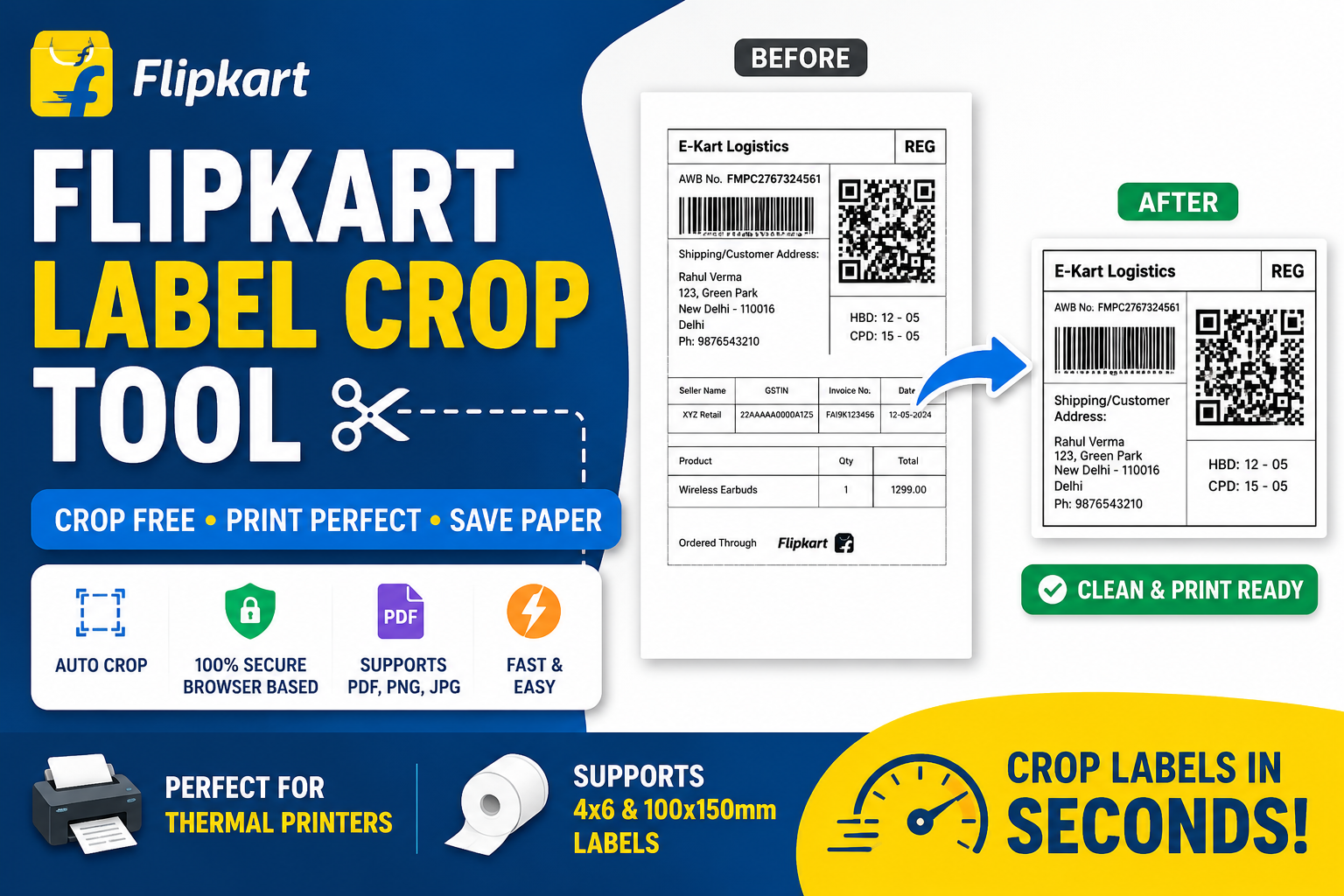
The tool works directly in your browser, ensuring your files remain private while providing fast and high-quality label cropping for all Flipkart sellers.
A Flipkart Label Crop Tool is an online utility that automatically removes unnecessary margins, invoice sections, and blank spaces from Flipkart shipping labels. Instead of manually editing labels using complicated software, you can upload your label, crop it instantly, and print a perfectly aligned shipping label.
Original Flipkart labels often include extra areas that are not required for shipping. Cropping helps you:
The tool intelligently detects the shipping label and crops unnecessary areas automatically.
Barcode quality remains sharp after cropping, ensuring hassle-free courier scanning.
Your files never leave your device. Everything is processed locally inside your browser.
Crop Flipkart shipping labels within seconds without creating an account or paying any fees.
Our cropped labels work perfectly with:
Yes. You can crop Flipkart shipping labels online completely free.
Yes. PDF, PNG, JPG, and JPEG files are fully supported.
Yes. The tool maintains high image quality so barcodes remain easy to scan.
Yes. Your labels are processed inside your browser and are never uploaded to any server.
Absolutely. The cropped labels are optimized for most thermal printers.
The Flipkart Label Crop Tool is the perfect solution for Flipkart sellers who want clean, professional, and printer-friendly shipping labels. Instead of manually editing PDFs or images, simply upload your label, crop it in seconds, and download a perfectly sized label ready for printing. Whether you process a few orders each day or manage thousands of shipments, this tool helps save time, reduce printing costs, and improve your shipping workflow.